
 By Oliver Sterling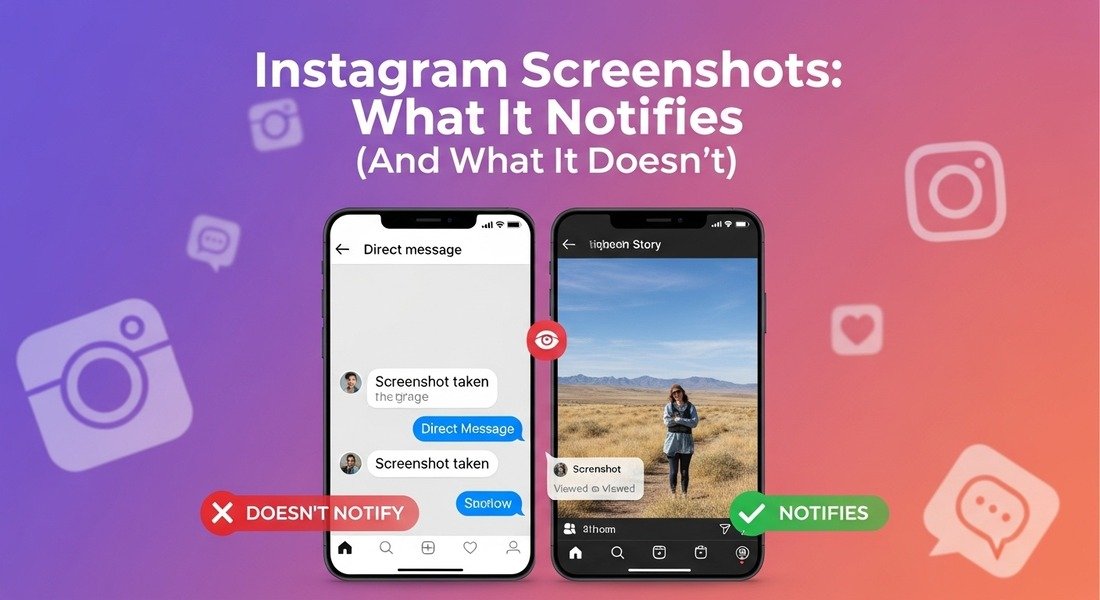
You took a screenshot of someone’s Story and now you are not sure if they got notified. Most people have no idea which parts of Instagram track screenshots and which ones completely ignore them. Does Instagram notify when you screenshot a Story, DM, Reel or disappearing photo? The answer depends entirely on what you screenshotted. This guide covers every content type, so you know exactly where you stand before pressing that button.
Does Instagram Notify When You Screenshot a Story?
No, Instagram does not notify anyone when you screenshot their Story. It does not matter whether the account is public or private or even a business profile. You show up in the viewer list the same as someone who watched and moved on without screenshotting. This applies to Stories with polls questions and stickers too. None of those features change the screenshot rules in any way.
Did Instagram Ever Send Story Screenshot Notifications
Yes it did but only briefly. In early 2018 Instagram ran a limited test where a small star icon appeared next to the name of anyone who screenshotted your Story. The reaction was immediate and users were not happy about it. People started deleting their Stories and engagement dropped noticeably.
Instagram quietly pulled the feature within weeks without any formal announcement. That was the one and only time Instagram attempted Story screenshot detection and it has never returned since. Instagram screenshot notification rules have not changed since 2018 and remain the same today.
-
Will They Know If I Screenshot Their Story
The Instagram viewer list only tracks who viewed a Story not who screenshotted it. These are two separate things and Instagram does not connect them at all. No third party, app can tell them because Instagram does not record or share screenshot activity for Stories. Any app claiming to show who screenshotted your Story is not telling the truth. -
Does Instagram Notify Screenshots of DMs?
Most people get confused here and that is completely understandable. Some even wonder if Instagram snitch on screenshots when it comes to DMs. It depends entirely on what type of DM you are screenshotting. There are two types of DMs and they behave completely differently.
- Regular DMs: are completely safe to screenshot.
- Disappearing DMs: the other person is notified instantly.
| SAFE TO SCREENSHOT | Regular DMs | NOTIFICATION SENT | Disappearing DMs |
|---|---|
| Text messages, voice notes, GIFs, posts shared to DMs, and any photo or video sent from your camera roll. No notification is ever sent. | Any photo or video sent using the DM camera with View Once or Allow Replay enabled. The other person is notified immediately with your username. |
I Accidentally Screenshotted a DM | Are They Notified?
If it was a regular DM then no. They have not been notified and there is nothing to worry about. Regular messages, photos sent from camera roll and voice notes are always safe. The notification only fires for View Once, Allow Replay and Vanish Mode content.
Instagram Vanish Mode and Screenshot Notifications
Screenshot anything in a Vanish Mode chat and the other person is notified on the spot. Instagram immediately shows the message “You took a screenshot” directly in the chat window. Screen recording triggers the exact same notification.
| Content Type | Screen Recording Notification |
|---|---|
| Screen recording a Story | No |
| Screen recording a Reel | No |
| Screen recording a regular DM | No |
| Screen recording a Highlight | No |
| Screen recording a View Once DM | Yes — notified |
| Screen recording in Vanish Mode | Yes — both notified |
The Complete Instagram Screenshot Notification Table
Most guides cover only two or three content types. Here is every content type mapped in one place.
| Content Type | Screenshot | Screen Rec | Notes |
|---|---|---|---|
| Feed Post | No | No | Never tracked |
| Story | No | No | Removed since 2018 |
| Close Friends Story | No | No | Same as regular Stories |
| Reel | No | No | Explore + profile Reels |
| Highlight | No | No | Archived Story content |
| Regular DM | No | No | Always safe |
| View Once / Allow Replay DM | Yes | Yes | Notification fires instantly |
| Vanish Mode DM | Yes | Yes | Shows in chat |
Final Thoughts
Instagram is completely safe when it comes to screenshots. Stories, posts, Reels, highlights and regular DMs generate zero notifications no matter how many times you screenshot them. Can someone see if you screenshot Instagram content for most content types the answer is simply no. The only time Instagram notifies is when you screenshot or screen record disappearing content in DMs.
View Once Allow Replay and Vanish Mode are the three things to watch out for. Everything else is completely safe. If you are ever unsure check whether the content appears as a thumbnail or a tappable button in your DMs. That one detail tells you everything you need to know. Instagram screenshot rules have stayed consistent since 2018. Permanent content is never tracked and disappearing content is always protected.
Frequently Asked Questions
Q1. Can you screenshot a Close Friends Story without them knowing
Yes you can screenshot them completely freely. The green ring only controls who sees the Story, not who can screenshot it.
Q2. Does Instagram notify if you screenshot a Vanish Mode chat
Yes straight away. Both people in the chat can see it happened. There is no way to hide it.
Q3. Is screenshotting Instagram content legal in the UK
Screenshotting for personal use is generally fine. Sharing or using it commercially without permission could cause legal issues under UK copyright law (CDPA 1988). This is general information and not legal advice.