
 By Oliver Sterling
Video is the undisputed king of social media, and quality video content is essential for success on TikTok, Instagram, and even Facebook. Although recording your own video is the ideal solution, it’s not always possible to create every single clip from scratch. For example, you may need B-roll, nature scenes, drone shots, or lifestyle clips to incorporate into the videos you create.
Stock footage is an excellent option when you need a clip you can’t get on your own, or when it would be too expensive or time-consuming to capture it yourself.
This article covers the best sources of video footage you can use for social media. Most of them are premium stock marketplaces, but we’ve focused on showcasing those that provide the most value for the money, as well as a few free options.
Top 10 Sources for Social Media Video Content
1. Shutterstock
Shutterstock has been a leader in the stock content industry for years, and their new unlimited download plan has made them more accessible than ever for content creators. For $69 per month (if paid annually), you get access to one of the industry’s largest libraries that includes more than 80 million images, videos, and music clips.
The unlimited plan does come with two caveats. First, there’s a limit of 100 downloads per day, despite the fact that it’s called an “unlimited” plan. For most social media creators, that’s more than enough, but it’s important to understand. Second, not all of Shutterstock’s creative assets are available with this plan. The unlimited plan does provide extensive access (and more options than most of the sites listed below), but not all of Shutterstock’s contributors have opted in to it.
Despite those limitations, Shutterstock is still an excellent choice because of its incredible selection and quality. And the unlimited plan makes it far more affordable than it was in the past.
Best for: High-volume creators who need reliable access to the most comprehensive professional video library available.
2. Envato Elements

Envato Elements operates on an all-you-can-download model, with no daily limits, that extends far beyond just video. For as little as $16.50/month, you get unlimited downloads of videos, music tracks, sound effects, graphic templates, fonts, and more.
The video library is large, although nowhere near the size of what Shutterstock offers. What really sets Envato Elements apart is the value proposition when you consider everything included. If you’re creating social media content, you probably need music for your videos. You might also need graphics, lower thirds, or intro templates. Having all of this under one subscription is convenient and it reduces overall costs.
Best for: Creators who need diverse creative assets including music, graphics, and templates alongside video footage.
3. Vecteezy
Vecteezy offers one of the best values in stock content with its Pro subscription starting at just $9/month when billed annually. For that price, you get unlimited downloads of videos, photos, vector graphics, illustrations, templates, and more.
The platform includes over 60 million resources. Some are available for free with attribution, but others require a Pro subscription, which also waives the requirement for attribution. The video library includes quality HD and 4K footage suitable for social media.
The search function includes several filters to help you quickly find what you need.
Best for: Budget-conscious creators wanting unlimited downloads for a low price.
4. Storyblocks
Storyblocks offers unlimited downloads from their library of over a million clips in 4K and HD for as little as $21/month.
The platform offers different subscription tiers, but even the “Essentials” plan provides unlimited downloads of videos and video templates. Higher-priced plans include additional things like music & sound effects, plus credits for AI tools.
Best for: Creators prioritizing unlimited downloads of videos and video templates.
5. Adobe Stock
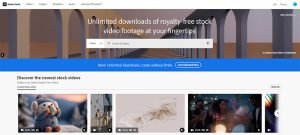
If you’re already working within the Adobe Creative Cloud ecosystem, Adobe Stock offers seamless integration that can significantly speed up your workflow. You can search, preview, and license videos directly within Premiere Pro, After Effects, or other Adobe applications.
The integration allows you to place watermarked preview clips in your timeline and only purchase the ones you actually use in your final project. This try-before-you-buy approach is incredibly practical for video editors.
Like Shutterstock, Adobe added an unlimited download plan within the past year. Adobe’s price is higher (starting at $130/month), but the selection is larger and Creative Cloud integration may be worth the higher price.
Best for: Content creators working primarily in Adobe Premiere Pro, After Effects, or other Creative Cloud applications.
6. Artgrid
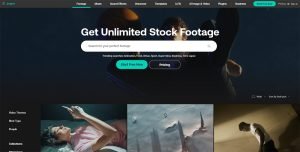
Artgrid takes a different approach than most stock video platforms by focusing on cinematic, film-quality footage. The site caters to creators who want their social media content to have a premium, professional look.
The footage on Artgrid often feels more like something from an indie film than typical stock video. You’ll find carefully composed shots, beautiful lighting, and an overall aesthetic that elevates your content. This comes at a higher price point than some competitors, but the quality justifies the cost for many creators (but is probably not necessary if you’re just starting out).
Artgrid operates on a subscription model with unlimited downloads. The library is smaller than mega-platforms like Shutterstock, but what’s there is carefully curated for quality. Pricing starts at $20/month, but you’ll need to pay at least $30/month if you want 4K videos.
Best for: Professional content creators wanting cinematic, high-end footage for premium social media content.
7. Pond5

Pond5 doesn’t use a subscription model. Instead, you pay per clip. This makes sense for creators who need occasional specific footage rather than consistent, high-volume downloads.
The library is quite large without sacrificing quality. One of Pond5’s standout features is its advanced search capabilities. You can filter by resolution, duration, frame rate, number of people, gender, aerial shots, greenscreen, whether clips are loopable, and more. These detailed filters help you find exactly what you need quickly.
Pricing varies widely depending on the clip’s resolution and exclusivity, but you can often find good footage at reasonable prices. The pay-per-clip model means you’re not locked into a monthly subscription.
Best for: Creators who need specific, high-quality clips occasionally rather than regular high-volume downloads.
8. Motion Array
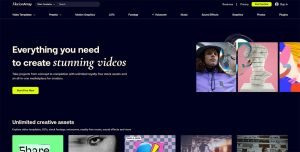
Motion Array combines stock footage with editing resources. Alongside a solid library of stock video clips, you get access to templates, presets, plugins, and tutorial content.
The platform offers unlimited downloads on their subscription plans (“Everything” plan starting at $25/month), and they provide templates for popular editing software like Premiere Pro, After Effects, and Final Cut Pro. If you’re creating social media videos that use lower thirds, transitions, or title animations, having templates and footage in one place streamlines your workflow.
The stock footage library is good quality and covers a wide range of subjects suitable for social media. While it’s not as massive as Shutterstock or Adobe Stock, the combination of footage and editing tools provides solid value.
Best for: Video editors who need templates, presets, and plugins alongside stock footage for efficient content creation.
9. Coverr
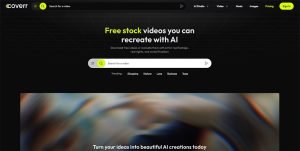
Coverr started as a completely free stock video platform and has expanded to include both free content and premium subscription options. The free library still offers curated, high-quality clips that work well for social media, but many of the newer and premium videos now require a paid subscription.
One of the most noteworthy details about Coverr is its AI adoption. Many of the videos are AI-generated, and paid subscriptions include AI credits you can use to create images, videos, and music.
Best for: Creators wanting to work with AI.
10. Pexels
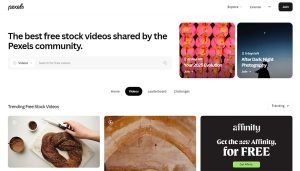
Pexels is the only completely free option on this list, with no premium tiers or paid content. The platform, owned by Canva, offers thousands of free stock videos in HD and 4K that can be used for commercial projects without attribution.
The integration with Canva makes it easy to import footage directly into Canva’s video editor, which is helpful if that’s your primary editing tool. The video library covers a wide range of subjects and the quality is generally good.
The trade-off for free content is that Pexels doesn’t collect model or property releases from contributors. This means videos featuring recognizable people or private property could potentially pose legal risks for commercial use.
For creators with zero budget who are willing to navigate these considerations, Pexels provides valuable resources at no cost.
Best for: Budget-conscious creators needing free video for social media, with awareness of potential limitations.
Key Considerations When Choosing a Video Platform
Subscription vs. Pay-Per-Clip
Unlimited subscription services make sense if you’re regularly creating content and need a steady flow of footage. The math works in your favor quickly when you’re downloading multiple clips per week. Pay-per-clip platforms are better for occasional needs or when you require very specific footage that you can’t find elsewhere.
Quality and Format
Consider where your videos will be posted. YouTube and longer-form content benefit from 4K footage, while Instagram Reels and TikTok work fine with HD. Higher resolutions give you flexibility to crop and zoom without losing quality, but they also mean larger file sizes and longer upload times.
Pay attention to frame rates too. Most social media content works well at 24fps or 30fps, but if you want slow-motion effects, you’ll need clips shot at 60fps or higher.
Search and Discovery
Time is money when you’re creating content. Platforms with robust search filters, good previews, and smart recommendations help you find what you need faster. Consider how much time you typically spend searching for footage and whether better tools would justify a higher price.
Final Thoughts
Stock video for social media creators has never been more accessible. With budget-friendly options available, even small creators and influencers can access quality content. The right choice depends on your content volume, budget, and specific needs. Many successful creators use a combination of platforms, maintaining a subscription to their primary source while supplementing with free options or occasional a la carte purchases.