


The fastest way to download an Instagram Reel is to copy its link and paste it into a browser-based downloader like ViewAnony or Theanonyviewer, no app install, login, or watermark required. If you’d rather stay inside Instagram, the app itself lets you save Reels to a private collection, though it won’t export the file to your camera roll.
Below are eight tools that actually do the job in 2026, plus the built-in Instagram method, so you can pick the one that fits how you work.
Quick Answer: Best Instagram Reels Downloaders at a Glance
| Tool | Best For | Login Required | Watermark |
|---|---|---|---|
| Instagram App (native) | Saving Reels for personal viewing only | Yes | N/A (stays in-app) |
| ViewAnony | Anonymous, watermark-free HD downloads | No | No |
| TheAnonyViewer | Downloading Reels + Stories/profiles anonymously | No | No |
| DownloadGram | Reels, Stories, IGTV, and photos in one tool | No | No |
| FastVideoSave | Simple, ad-light downloads | No | No |
| Inflact | Bulk downloading and cloud backup | No (free tier) | No |
| INDownloader | Private-account content (where permitted) | No | No |
| Filmora (bonus) | Creating original Reels, not downloading them | No | N/A |
Below, we break down how each option works, what makes it worth using, and the one safety habit every free downloader user should follow.
Why You Can’t Download Reels Directly From Instagram
Instagram’s app and website let you save a Reel to a private “Saved” collection, but that file stays inside Instagram, you can’t export it to your phone’s gallery, edit it, or repost it elsewhere. This is a deliberate content-protection choice, not a bug, which is why third-party downloader tools exist: they pull the video file from the public link you provide and let you save it locally in MP4 format.
How to Save a Reel Using the Instagram App
If you only need to rewatch a Reel later inside Instagram, the built-in Save feature is the safest option since it requires no third-party site:
- Open Instagram and sign in.
- Tap the magnifying glass icon to open the Reels/search tab.
- Find the Reel you want to keep.
- Tap the three-dot icon on the video and select Save.
- To view it again, go to your profile → Menu → Settings and activity → Saved.
This method doesn’t produce a downloadable file, so if you need the actual video on your device, use one of the tools below instead.
8 Free Tools to Download Instagram Reels in HD
1. ViewAnony
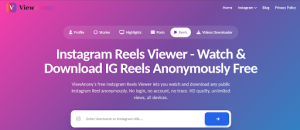
ViewAnony is built around anonymous, no-login browsing, so it’s a strong pick if you’d rather not leave a trace while researching or saving Reels. Beyond a dedicated Reels viewer/downloader, it covers profiles, Stories, Highlights, and posts, and downloads come through in original HD quality with no watermark. It’s a solid fit for competitor research or content curation where you’re pulling from multiple public accounts in one sitting.
How to use it: Paste the Reel’s link (or the account username) into ViewAnony’s Reels tool, preview the content, and tap download.
2. TheAnonyViewer

TheAnonyViewer works the same way, paste a public Reel link or username and it extracts the video in its original resolution without requiring an Instagram login. It also supports Stories and profile browsing, and positions itself as a privacy-first “buffer” between you and Instagram, meaning the account owner isn’t notified when you view or download their public content. Useful if you’re checking several Reels or profiles from the same creator in one session.
3. DownloadGram

DownloadGram covers Reels, IGTV, Stories, and static posts in a single, no-frills interface. Paste the post URL and click Download, there’s no username search, so it’s best when you already have the exact link you need.
4. FastVideoSave
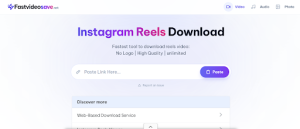
FastVideoSave focuses on speed: paste the link, tap Download Video, and the file saves directly to your gallery in its original resolution with no watermark. It’s a solid backup option if your first-choice tool is slow or temporarily down, which does happen with free ad-supported sites.
5. Inflact

Inflact is built for heavier use cases, like downloading and organizing large batches of Reels, Stories, and posts, with optional cloud storage on paid plans. If you’re archiving content for a client or building a swipe file of competitor Reels, its filtering by content type (Posts, Stories, Highlights, Reels) saves real time.
6. INDownloader

INDownloader bundles several tools, video, photo, InstaDP, and Reels downloading, under one roof and works across Windows, Mac, iOS, and Linux. It’s a reasonable all-in-one pick if you frequently switch between downloading different content types from the same account.
7 & 8. Other Free Alternatives
Tools like Insta Video Save and browser-based options positioned as “Experts Tool“, style downloaders follow the same basic pattern: paste the Reel link, choose a format (MP4 or MP3 audio), and download. Because free downloader sites change ownership and domains often, always check that the URL matches the tool’s official domain before pasting a link, and skip any site that asks for your Instagram password, a legitimate downloader never needs it.
Are Instagram Reels Downloaders Safe to Use?
Most reputable Reels downloaders are safe in the sense that they don’t need your Instagram login and only process the public link you give them. That said, free ad-supported sites are a common target for malvertising, so a few habits go a long way:
- Never enter your Instagram username or password on a downloader site, you only ever need the video link.
- Use an ad blocker or be ready to close pop-ups without clicking them.
- Stick to well-known tools rather than the first unfamiliar result in a search.
- Only download content you have the right to reuse; downloading doesn’t transfer copyright, so repost with credit or permission.
Want to Create Reels Instead of Downloading Them?
If your goal is building your own short-form content rather than saving someone else’s, a dedicated editor gets you there faster. Wondershare Filmora is a popular pick for creating Reels and TikTok-style videos, offering royalty-free audio, ready-made templates, and one-click uploading straight to your social accounts, useful if you’re producing content rather than archiving it.
Once your Reels are live, growing their reach is the next challenge. If you’re weighing whether to boost visibility with purchased engagement, our breakdown of the best sites to buy Instagram followers, likes, and views compares the most reliable options for 2026, and our guide to buying automatic Instagram likes covers monthly plans if you’re managing multiple accounts.
Frequently Asked Questions
Can I download Instagram Reels without an app?
Yes. Every tool listed above works directly in a mobile or desktop browser, you paste the Reel’s link and download the file, with no app install needed.
Is it legal to download someone else’s Instagram Reel?
Downloading a public Reel for personal viewing is generally not an issue, but reposting it elsewhere without credit or permission can violate the creator’s copyright and Instagram’s terms. When in doubt, ask the creator or add clear attribution.
Why does Instagram not let me download Reels directly?
Instagram restricts direct downloads to protect creators’ content from unauthorized reuse. The in-app “Save” feature only stores the video inside your Instagram account, not on your device.
Do these downloader tools add a watermark?
No. The tools covered here (SnapInsta, Instadp, DownloadGram, FastVideoSave, Inflact, INDownloader) all deliver the original file without adding a watermark.
Can I download a private account’s Reels?
Only if you have access to view the account (i.e., you’re an approved follower). Tools claiming to bypass private-account restrictions without permission should be avoided, as this violates Instagram’s terms of service.

Discussion