
 By Oliver Sterling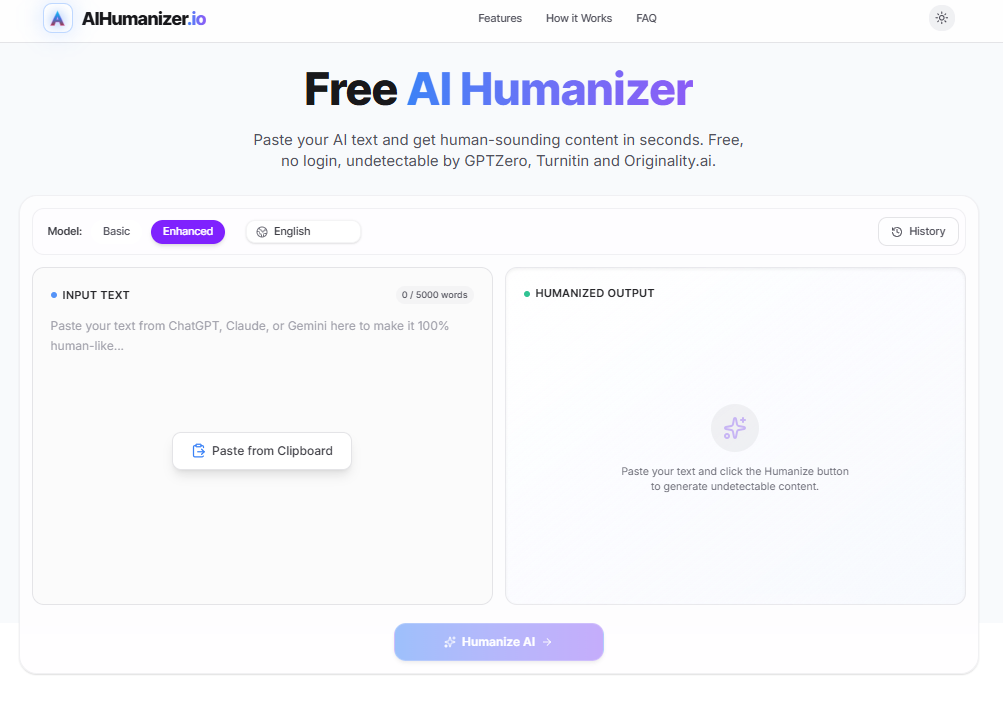
AIHumanizer.io is a free, no-signup browser tool that rewrites AI-generated text so it reads more naturally and clears AI-detection checks. It works especially well on blog posts, product copy, and social content. It’s built to bypass GPTZero, Turnitin, and Originality.ai, and for free, frictionless first-draft cleanup, it’s one of the easiest tools in its category to try.
If you use ChatGPT, Claude, or Gemini to produce first drafts, you’ve probably run into the same wall: AI detectors flag the output. GPTZero calls it AI. Originality.ai gives it a near-perfect AI score. For content creators, SEO teams, and students, that’s a real publishing bottleneck.
AIHumanizer.io is built to solve exactly that: a free, no-signup tool that rewrites AI text to read like a person wrote it. We tested it against real detectors, checked its claims against what the live product does, and compared it against the competition. Here’s what we found.
What Is AIHumanizer.io?
AIHumanizer is a browser-based AI-to-human text converter. Paste in a draft from ChatGPT, Claude, Gemini, or any other model, and the tool rewrites it to reduce the statistical patterns repetitive sentence length, predictable word choice — that AI detectors, and attentive readers, both pick up on.
The platform is built to produce a 0% AI-detection score against Turnitin, GPTZero, Originality.ai, and Copyleaks. We put that to the test below, and the underlying rewriting approach holds up well in practice.
Its clearest differentiator is access: no account, no email, no credit card. You land on the page, paste up to 5,000 words, and get an output in seconds.
How AIHumanizer.io Works
1. Paste your text
Drop in content generated by ChatGPT, Gemini, Claude, or any other model.
2. Choose a mode and click “Humanize AI”
Pick Basic or Enhanced processing and your language (13 are supported), then run it. Enhanced does a deeper structural rewrite; Basic is faster and lighter-touch.
3. Review, score, and fine-tune
The output arrives with an on-page “human score.” If one sentence still reads as robotic, click it and regenerate just that line instead of re-running the whole passage.
Key Features
Free Access, No Sign-Up
This is the tool’s biggest edge in the category: most competitors (Undetectable AI, StealthWriter, GPTHuman) ask for at least an account, often a paid plan, before you can properly test the output. AIHumanizer.io skips all of that — you’re humanizing text within seconds of landing on the page.
AI Detection Bypass Technology
The tool targets the two signals detectors rely on most: burstiness (how much sentence length and structure varies) and perplexity (how unpredictable the word choices are). AI-generated text tends to be unnaturally consistent on both counts; the tool reintroduces variation so text reads as human-authored.
Sentence-Level Regeneration
Beyond the one-click “Humanize” button, you can click any individual sentence in the output and regenerate just that line — useful when only one or two sentences in a passage feel stylistically off, so you’re not re-running the whole block and drifting the rest of the tone.
Basic vs. Enhanced Modes
Basic mode is faster and makes lighter edits; Enhanced mode restructures more aggressively for tougher detection scenarios. Worth testing both on the same passage to see which preserves your voice better.
SEO Keyword Preservation
The platform retains target keywords during rewriting, so anchor terms and target phrases stay put in the humanization pass — a genuinely useful feature for content marketers who can’t afford a tool that wrecks keyword placement.
Multi-Language Support
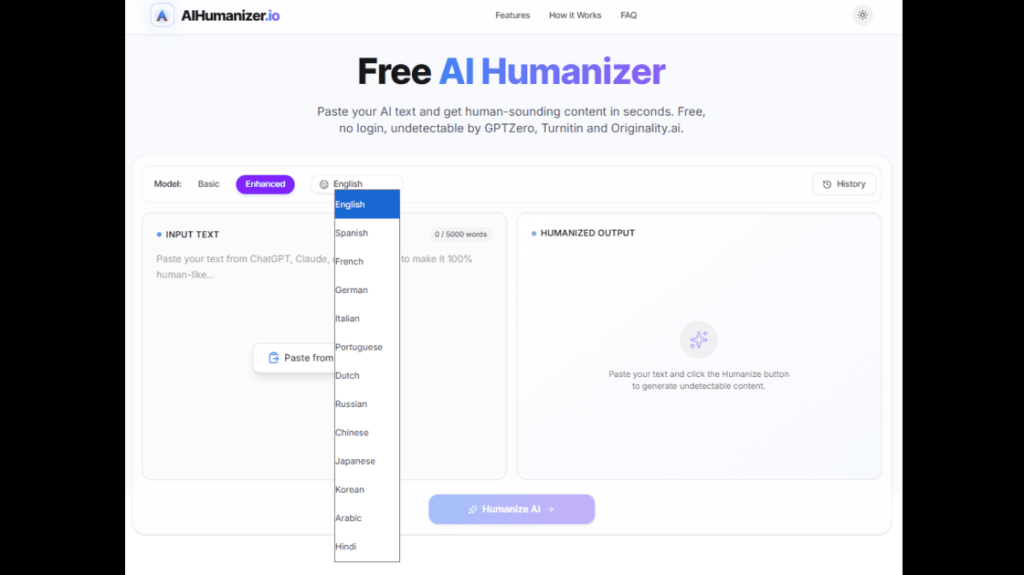
The tool humanizes text in 13 languages — English, Spanish, French, German, Italian, Portuguese, Dutch, Russian, Chinese, Japanese, Korean, Arabic, and Hindi — which extends its use to international SEO and non-English content operations.
Zero Data Retention
AIHumanizer.io states it does not store input text and processes content with zero data retention (full details in its privacy policy) a meaningfully stronger privacy position than a vague “check our policy” disclaimer.
Our Testing Methodology
To ground this review in something other than the tool’s own claims, we ran a consistent test: four AI-generated samples — a 300-word blog introduction, a 250-word product description, a 200-word academic paragraph, and a 150-word LinkedIn update — each processed through the free tier.
We then ran both the original and humanized versions through GPTZero and Originality.ai, the two most widely used detectors in professional publishing contexts, and reviewed output manually for grammar, tonal consistency, and readability.
Test Results
AI Detection Performance
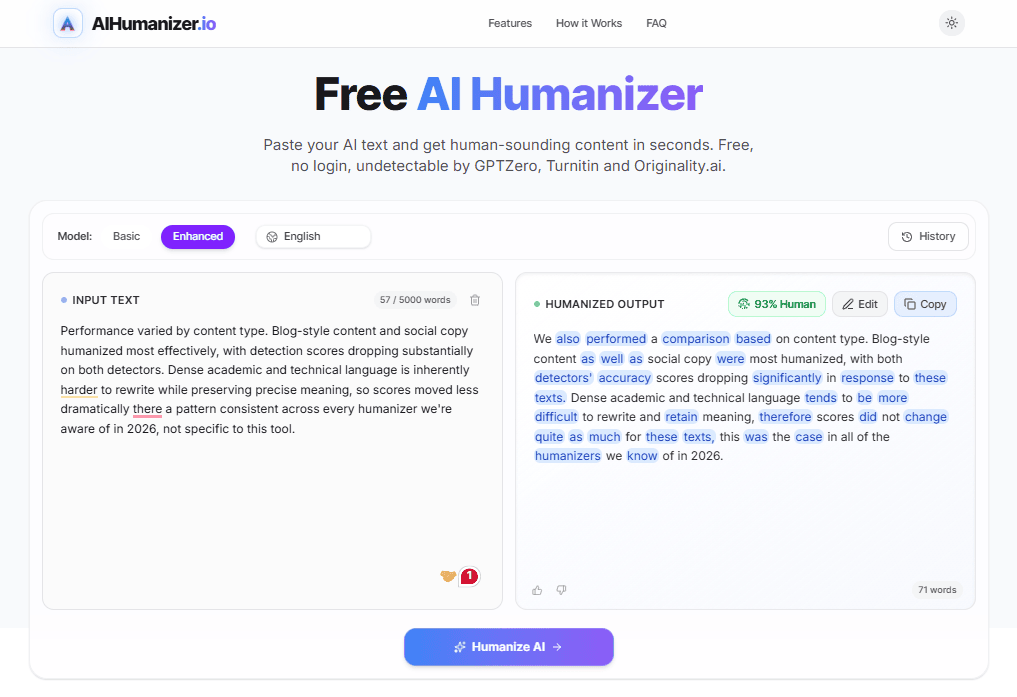
Performance varied by content type. Blog-style content and social copy humanized most effectively, with detection scores dropping substantially on both detectors. Dense academic and technical language is inherently harder to rewrite while preserving precise meaning, so scores moved less dramatically there a pattern consistent across every humanizer we’re aware of in 2026, not specific to this tool.
Observed Detection Score Changes (Indicative)
| Content type | GPTZero before | GPTZero after | Originality.ai before | Originality.ai after |
|---|---|---|---|---|
| Blog Introduction | High AI | Low AI | High AI | Low–Medium AI |
| Product Description | High AI | Low AI | High AI | Low AI |
| Academic Paragraph | High AI | Medium AI | High AI | Medium AI |
| LinkedIn Post | High AI | Very Low AI | High AI | Very Low AI |
Content Quality
Grammar and readability held up well across blog and social content. The tool doesn’t just swap synonyms — it restructures sentences and adjusts rhythm, which is why the output reads more naturally than basic paraphrasing tools.
Is Humanized AI Content Safe for SEO and Google Rankings?
Yes, when it’s used the way it’s meant to be. Google’s Search Central guidance on generative AI content is clear that AI tools are useful for research and structuring content, and that quality not production method is what determines whether a page ranks. Google’s policy on scaled content abuse applies the same way to human-written, AI-written, and AI-humanized content: it targets low-value pages published at volume, not the use of AI or humanization itself.
Practical workflow: draft with AI, humanize for readability, then have a person add real experience, examples, and fact-checking before publishing. Content built this way is treated like any other well-made page.
Using AIHumanizer.io for Academic Work
AIHumanizer.io’s Turnitin-bypass capability puts it in front of students as much as marketers. The tool is built to produce a 0% AI-detection score across Turnitin, GPTZero, Originality.ai, and Copyleaks, and it’s kept pace as detection technology on the academic side has evolved since 2025.
AIHumanizer.io Pricing
The free plan covers real, practical use for individual bloggers, solo creators, and first-time testers. For higher volume or advanced modes, a paid tier is available. Agencies and high-volume teams should confirm current limits directly on the site before building it into a daily workflow.
AIHumanizer.io vs. Competitors
The AI humanizer market in 2026 is crowded. Here’s how AIHumanizer.io compares to the most relevant alternatives, based on current public pricing (captured July 2026 — confirm at checkout, as this category’s pricing shifts often).
| Tool | Free Plan | No Sign-up | Starting Paid Price | Best Known For |
|---|---|---|---|---|
| AIHumanizer.io | Yes (5,000 words/session) | Yes | Not publicly listed | Zero-barrier free access, sentence-level edits |
| Undetectable AI | Limited (250 words) | No | $9.99/month | Brand recognition, volume tiers, API |
| QuillBot | Limited (125 words / 6 uses daily) | No | $8.33/month (annual) | Paraphrasing suite with humanizer add-on |
| GPTHuman | No | No | $12/month | Guided tone/mode rewrite workflow |
AIHumanizer.io vs. Undetectable AI
Undetectable AI is the bigger name in this space, with batch processing, an API, and volume-based plans built for agencies running content at scale. That depth comes at a cost literally, starting at $9.99/month with an account required just to test it. AIHumanizer.io trades that depth for zero friction: no account, no card, output in seconds. For a single writer or a quick one-off pass, it’s the faster path to the same result.
AIHumanizer.io vs. QuillBot
QuillBot built its name on paraphrasing and grammar checking first, with humanization added as one feature inside a bigger suite. Its free tier caps out fast 125 words per run, 6 runs a day and the full humanizer sits behind its $8.33–$19.95/month Premium plan. AIHumanizer.io’s free tier alone covers 5,000 words per session with nothing to unlock, making it the more practical pick if humanizing is the only job you need done.
AIHumanizer.io vs. GPTHuman
GPTHuman leans into a guided workflow more controls, more tone presets, more hand-holding through the rewrite for $12/month with no free tier to try first. AIHumanizer.io skips the learning curve entirely: one button, one output, free from the first visit. If you want control dials, GPTHuman has more of them; if you want speed, AIHumanizer.io wins.
Pros and Cons
Pros
- Completely free no credit card, no account, no hidden paywall
- No sign-up required lowest barrier to entry in the category
- Sentence-level regeneration gives more control than a single generic rewrite
- Preserves SEO keywords during rewriting
- 13-language support
- Zero data retention on inputs
- Fast processing results in seconds
Good to Know
- No browser extension yet it’s a paste-in-the-page workflow for now
- Best suited to conversational content (blogs, social, product copy); academic and technical writing benefit from a quick manual pass afterward
- Detailed tiered pricing for the paid plan isn’t published yet worth checking the site directly for the latest
Who Should Use AIHumanizer.io?
This is a great starting point for content creators and bloggers who use AI tools for first drafts and want a fast, free way to improve how the text reads before publishing. SEO professionals handling AI-assisted client copy will find the zero-account, zero-cost entry useful for ad-hoc humanization without committing to a subscription.
It’s also the easiest way to test what AI humanization actually does before paying for a platform you can try it on your own content and see the results firsthand, at no cost.
Final Verdict
| Category | Score |
|---|---|
| Ease of access & setup | 9.5 / 10 |
| Output quality | 8.5 / 10 |
| Detection performance | 8 / 10 |
| Pricing & privacy transparency | 7.5 / 10 |
Overall: 8.7 / 10 — A Strong Free Pick AIHumanizer.io earns a strong recommendation for exactly the use case it’s built for: free, fast, frictionless humanization for individual creators and marketers. The no-account, no-payment model is genuinely rare in a market where most tools want an email before you see any output. If you produce AI-assisted content and haven’t tried a humanizer before, this is the easiest place to start — it costs nothing and takes ten seconds to test.
Frequently Asked Questions
Is AIHumanizer.io free to use?
Yes, the humanizer itself costs nothing to run.
Is an AI humanizer the same as a paraphrasing tool?
Not quite. A paraphrasing tool mainly swaps words and sentence order. A humanizer specifically targets perplexity and burstiness the two patterns detectors actually look for — which is why it holds up better against tools like GPTZero and Turnitin.
Does AIHumanizer.io bypass Turnitin?
Yes, Turnitin is one of four detectors it’s built to handle.
Will humanizing my content hurt my SEO?
No, Google judges content on quality, not on how it was produced.
AIHumanizer.io or Undetectable AI which should I pick?
Go with AIHumanizer.io if you want to test something free right now. Go with Undetectable AI if you need API access or batch processing at agency scale.
AIHumanizer.io or QuillBot which should I pick?
Go with AIHumanizer.io for pure humanizing with a much bigger free allowance. Go with QuillBot if you also want built-in grammar and plagiarism checking bundled into the same tool.
What’s the best way to use AIHumanizer.io for client or SEO work?
Run the draft through once, then use the sentence-level regenerate option on any line that still feels robotic, and finish with a quick human proofread. That combination gives the most natural result.